Live translation for events. No app needed.
Real-time AI captions and audio in 70+ languages — on big screens in the room, on every attendee's phone, or both. No app, no headset, no booth.
Real-time translation in 70+ languages
The whole room, in every language.
Run the event from a single operator console. Everyone else follows along on the phone already in their pocket — live captions and AI audio in 70+ languages, with no app to install.
Scan, pick, read.
No app to download. No account to create. Attendees scan the QR code shown by the presenter, pick their language, and they're reading along — in under thirty seconds.
Scan the QR
The presenter shows a QR code on screen. Attendees scan it with the phone camera — no app, no account, no install.
Point your camera at the
code on the screen
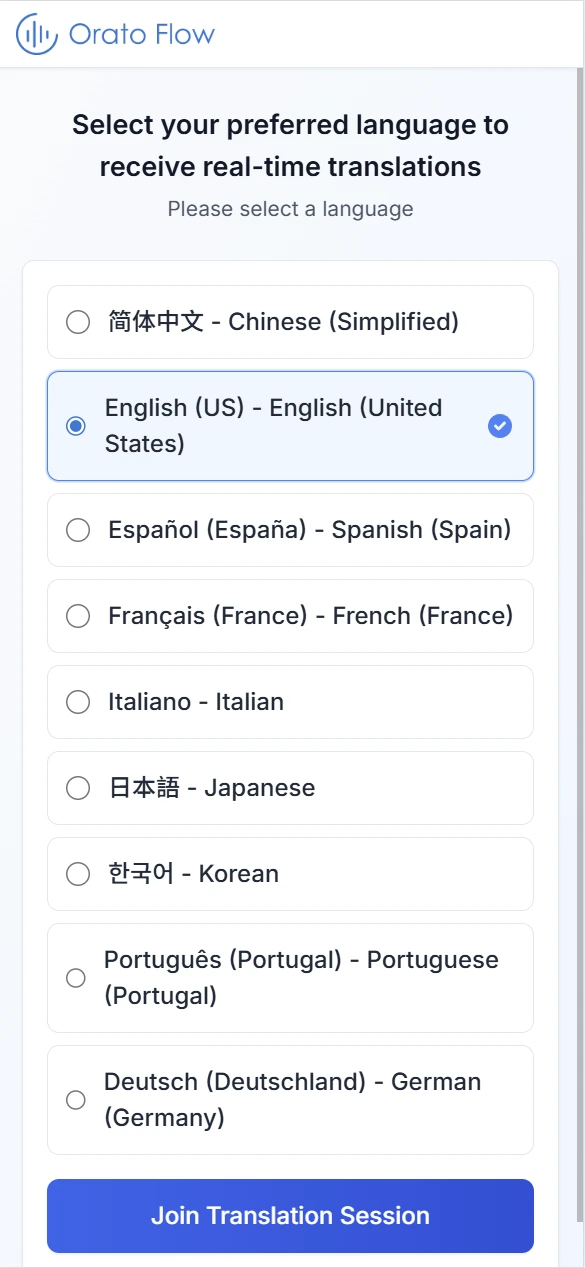
Pick a language
Choose any of the languages enabled for the event, then switch any time during the session.
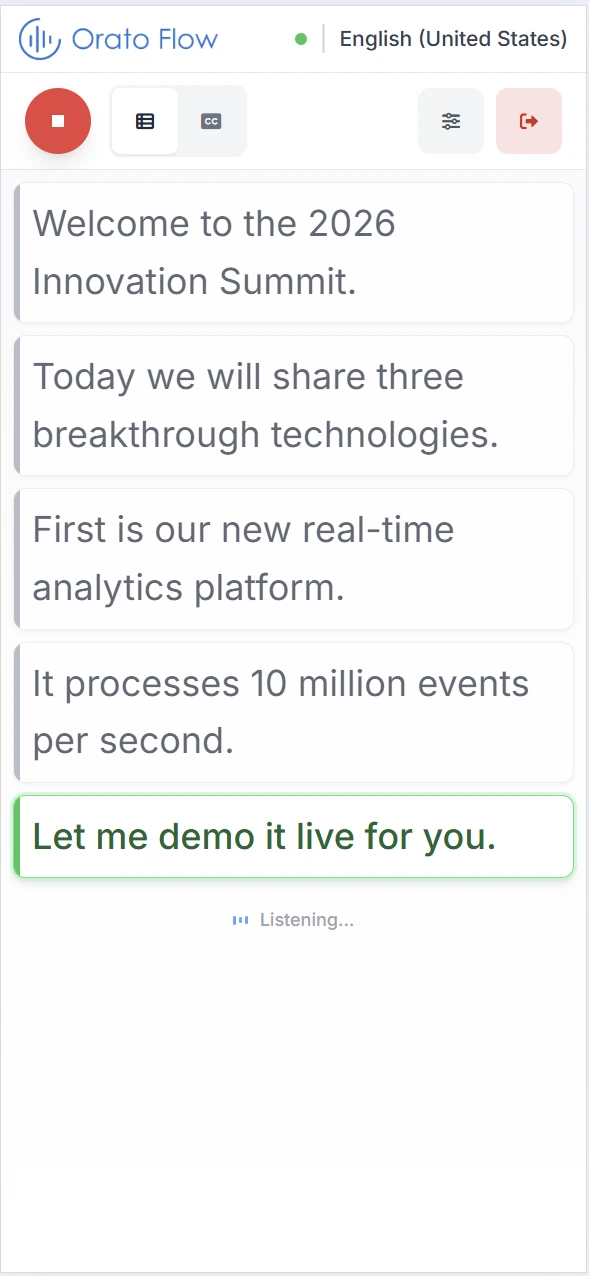
Read or listen, live
Captions stream in real time. Tap the audio toggle for AI voice through earbuds or the speaker.
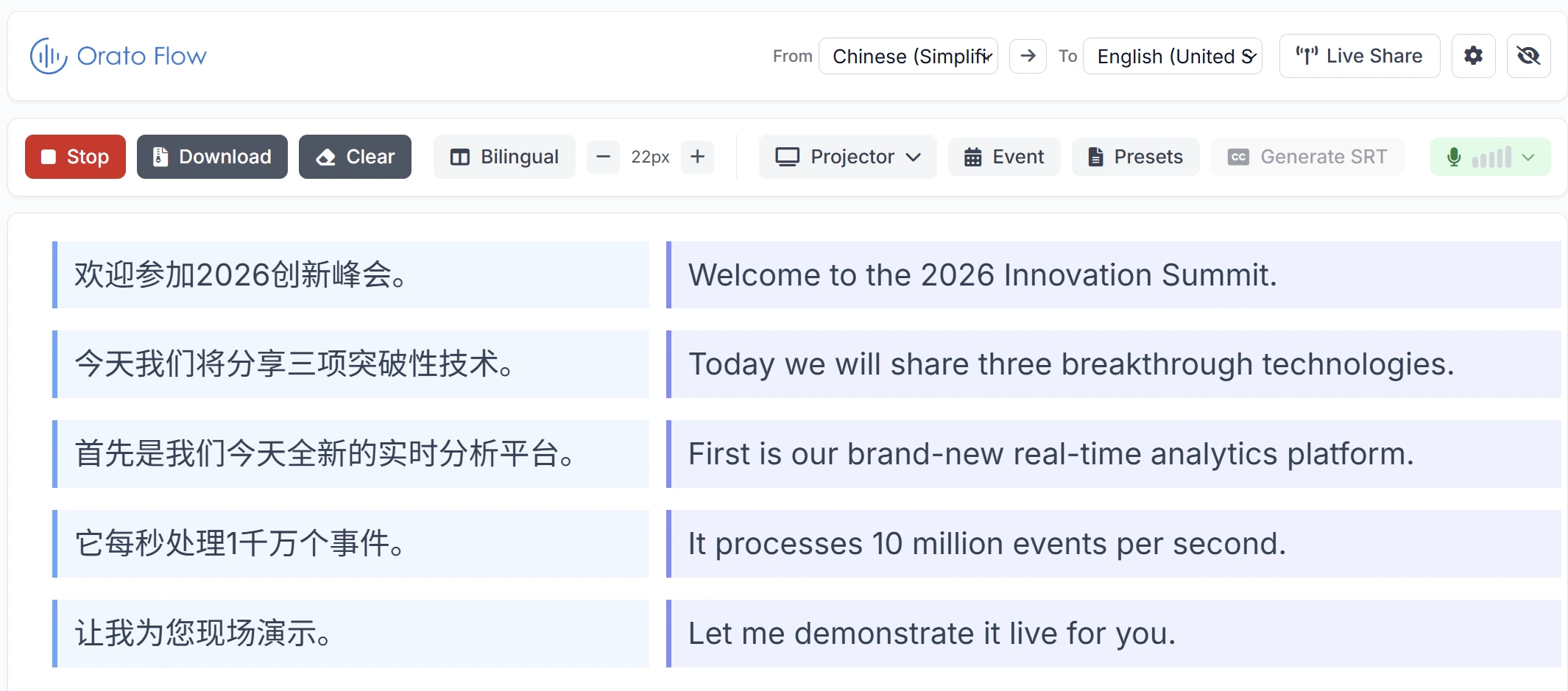
Total control of the room.
Run live sessions, push captions to the big screen, fix terminology on the fly, and export everything afterwards. The operator workspace is built for the person actually running the event.
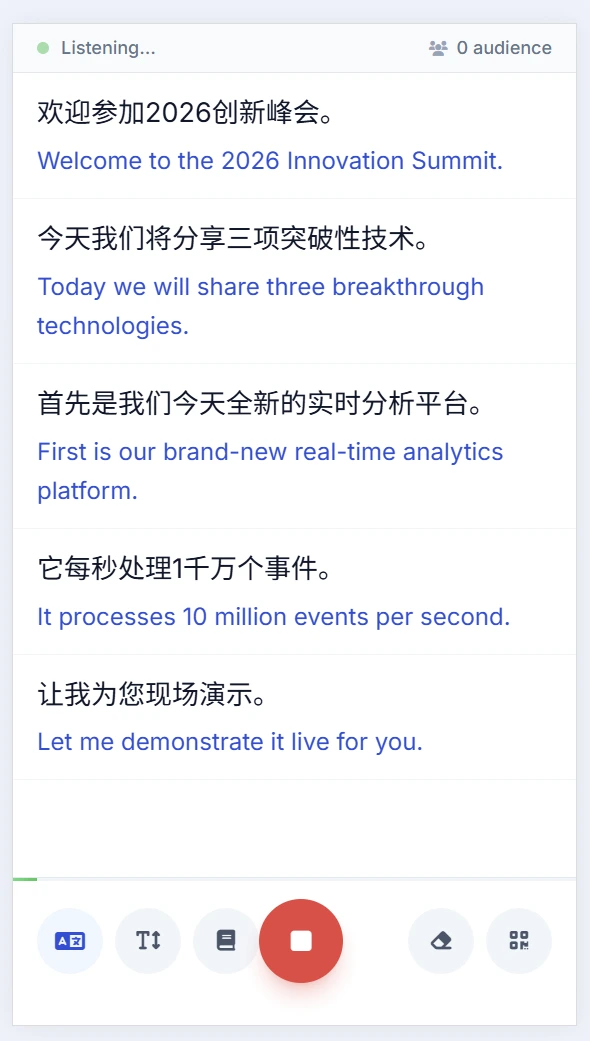
Bilingual display
Source and target side by side, or single-language view. Toggle live without restarting.
Big-screen projection
Push captions to your venue display via HDMI. Combined or separated layouts, custom font sizes.
Custom glossaries
Upload domain terms or fix them inline mid-session. Phonetically-similar candidates suggested as you type.
Export & subtitles
Download full transcripts and generate SRT subtitle files after every session.
Live remote viewing
Share a session link so remote attendees follow the same live captions from anywhere.
A laptop. Or just a phone.
Speakers can run Orato Flow directly from a mobile device — full bilingual capture, broadcast to attendees over the same QR code. For small meetings, podcasts, or speakers travelling light, no laptop is required.
Mobile host mode
Speak directly into your phone. Orato Flow captures, transcribes, and broadcasts to attendees. No laptop, no mic stand.
Bilingual capture
See the source and translation side by side as you speak — useful for self-monitoring or when you switch languages mid-talk.
Same QR, same audience experience
Whether you run from desktop or mobile, attendees join the same way and get the same quality of captions and audio.
The honest comparison.
Where Orato Flow fits — and where it doesn't. Three tools, three different jobs.
Conferences · Town halls · Workshops · Multilingual hybrid
Captions and audio on every phone, big-screen projection, custom glossaries, and a host workspace. Setup in minutes, scales to a stadium.
Treaties · Court · Highest-stakes negotiations
Still the gold standard for proceedings where every nuance is contractually binding. Slower to book, far more expensive, harder to scale beyond a couple of languages.
Tourist signage · Messaging · One-on-one travel
Fine for short, low-stakes exchanges. Not built for live events: no host controls, no glossaries, no big-screen projection, no industry terminology.
Side-by-side capabilities
| Capability | Orato Flow AI for events | Human interpreters Booths + headsets | Generic AI tools Google Translate, etc. |
|---|---|---|---|
| Setup time | Minutes | Weeks | Minutes |
| Cost per event hour | Low | Very high | Low |
| Industry-specific accuracy | |||
| Custom glossaries | |||
| Real-time captions + audio | Audio only | Captions only | |
| Scales to thousands | |||
| Attendee app required | No (QR scan) | No (headset) | Often |
| Works in 70+ languages | Limited |
Questions before you book.
No. The host shows a QR code; attendees scan it with their phone camera, pick a language, and see live captions in the browser — or tap to listen to AI voice through earbuds. There is no app to install and no account to create.
Tell us the date, the languages,and the room.
We'll come back with what it looks like to run your event on Orato Flow — including a live walkthrough on your own content.
Reply within 1–2 business days · No commitment