Government meeting translation,accessible to every resident.
Real-time captions and AI audio so multilingual communities can follow public meetings and council sessions — on the big screen and on their phones. No app, no headset.

Welcome to
What is public-sector meeting translation?
Public-sector translation gives constituents live access to council sessions, public consultations, and community meetings in their own language. Orato Flow shows real-time AI captions on the room screen and on attendees' phones via QR code in 70+ languages, with transcripts available after the meeting. There is no app for residents to install and no interpreter booth to hire, and every language is included at one flat hourly rate.
A New Zealand government agency uses Orato Flow to make its sessions accessible across languages.
A public-sector deployment in New Zealand.
Public meetings, in every language.
Widen language access, add live captions for accessibility, and keep a clean transcript for the record.
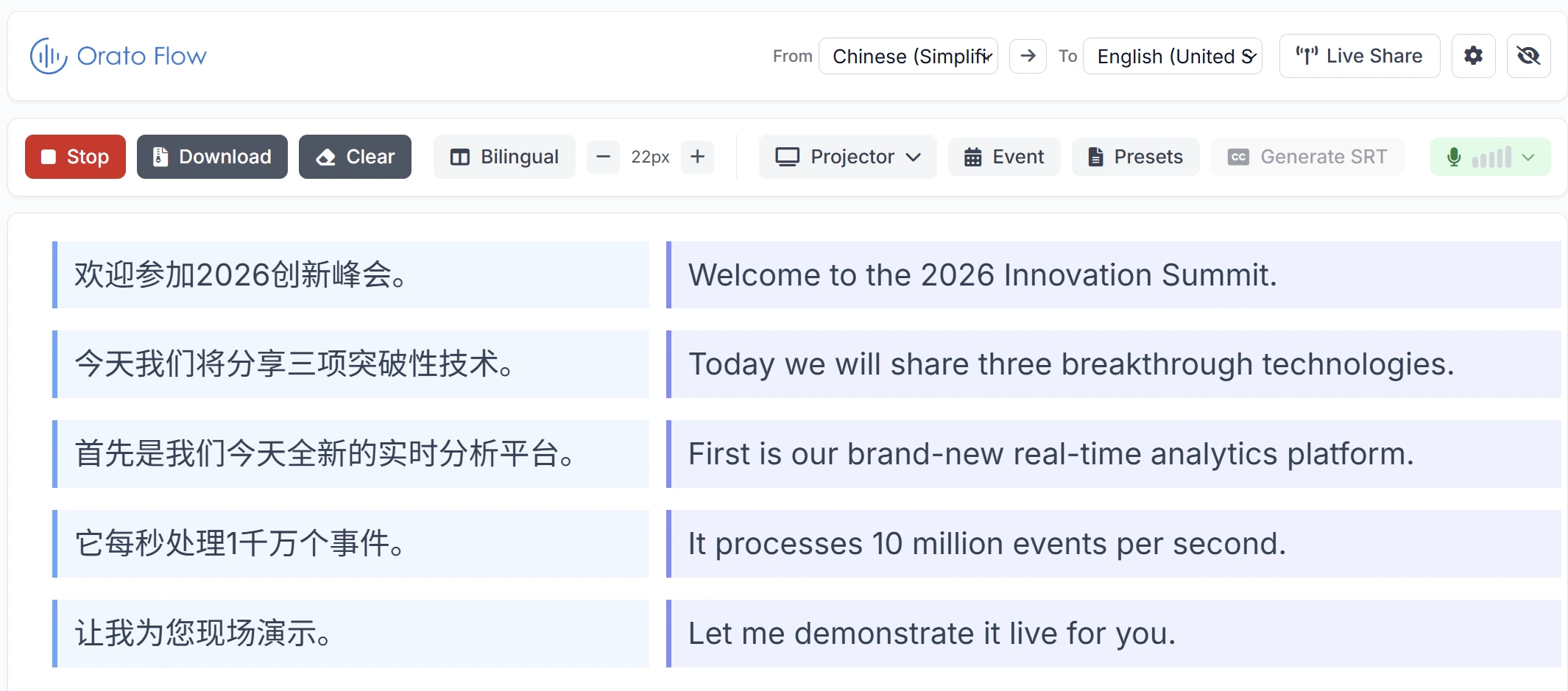
On the chamber screen
Project bilingual or single-language captions for the room and the public gallery.
Reach the whole community
Run the languages your residents actually speak — unlimited pairs at a flat rate.
Captions for accessibility
Live captions open meetings to deaf and hard-of-hearing attendees alongside language access.
Names & policy terms
Keep place names, official titles and policy terminology consistent across sessions.
No app for the public
Residents scan a QR code and follow along — no download, no account. Staff run it from a laptop or just a phone.
Transcripts for the record
Download transcripts and SRT subtitles for minutes, archives and broadcast.
Questions from public-sector teams.
The host shows a QR code in the room or on the broadcast. Attendees scan it, choose their language, and read live captions or listen to AI audio on their own phone — no app and no account required.
Make every meeting accessible.
Tell us your community's languages and your venue — we'll show you what it looks like to open a public session on Orato Flow.